
How to create an event
To help you create a successful event on Airtribune, we have prepared the following handy guide;
STANDARDS
We have a minimum standard for what is acceptable for being published on Airtribune. You can download a document from here <INSTRUCTIONS> that will tell you how to complete all these steps in a simple, pictorial method. If you follow these instructions, you will have your event created in minutes.
Be aware, you MUST complete the following fields in your event Admin page in order to get your event published:
- General Info (Almost everything should be completed)
- Map (You should mark HQ as a minimum)
- Preparation blog (Put at least 1 news item here)
- Sponsors (If you have any)
- Access Management (If you have staff who need to assist on the event pages)
- Email Notifications (You can customize the welcome email and '7 days to go' email)
- Waypoints Planner (Upload your Waypoints here)More information on this entire process is contained in the instructions PDF linked above
Inside the General Info tab remember to upload a minimum of 4 photos and one header photo. You must also give details of the Organisers names, the contact persons name, and the prices of the event.
I hope the above assists you in creating your event. Any questions then contact us at support@airtribune.com
PUBLICATION
When you have completed all of the above steps, then you can put your event in for Moderation.
When you send it in for moderation, please email us with the following information about your event, and how you will use Airtribune;
Options:
> Only for advertising the event
> For Registration also
> For tracking also
If you are using Airtribune for Live Tracking during your event, we also need to know what facilities you intend to use to perform the live tracking. ie What trackers are you expecting your competitors to use.
Options, (please list all that you wish to use)
> Using the Airtribune Android & iOS apps as a tracker
> Competitors using their own trackers
> Competitors using Satellite trackers (Spot & Inreach)
> Registering your own set of trackers
> Using a set rented from FlyEvent
You can email these details to Email Airtribune with details at robot@airtribune.com
REGISTRATION
When your event has been published, the world can now see your page. You can now start taking registrations.
See this news article with extra information about status messages:
STANDARDS
We have a minimum standard for what is acceptable for being published on Airtribune. You can download a document from here <INSTRUCTIONS> that will tell you how to complete all these steps in a simple, pictorial method. If you follow these instructions, you will have your event created in minutes.
Be aware, you MUST complete the following fields in your event Admin page in order to get your event published:
- General Info (Almost everything should be completed)
- Map (You should mark HQ as a minimum)
- Preparation blog (Put at least 1 news item here)
- Sponsors (If you have any)
- Access Management (If you have staff who need to assist on the event pages)
- Email Notifications (You can customize the welcome email and '7 days to go' email)
- Waypoints Planner (Upload your Waypoints here)More information on this entire process is contained in the instructions PDF linked above
Inside the General Info tab remember to upload a minimum of 4 photos and one header photo. You must also give details of the Organisers names, the contact persons name, and the prices of the event.
I hope the above assists you in creating your event. Any questions then contact us at support@airtribune.com
PUBLICATION
When you have completed all of the above steps, then you can put your event in for Moderation.
When you send it in for moderation, please email us with the following information about your event, and how you will use Airtribune;
Options:
> Only for advertising the event
> For Registration also
> For tracking also
If you are using Airtribune for Live Tracking during your event, we also need to know what facilities you intend to use to perform the live tracking. ie What trackers are you expecting your competitors to use.
Options, (please list all that you wish to use)
> Using the Airtribune Android & iOS apps as a tracker
> Competitors using their own trackers
> Competitors using Satellite trackers (Spot & Inreach)
> Registering your own set of trackers
> Using a set rented from FlyEvent
You can email these details to Email Airtribune with details at robot@airtribune.com
REGISTRATION
When your event has been published, the world can now see your page. You can now start taking registrations.
See this news article with extra information about status messages:

Live tracking platform.
Outdoor GPS tracking mobile app.
Competition hosting and live tracking.
© 2012 - Airtribune. All rights reserved
Privacy Policy and Terms of Service
Upcoming events
Most followed users
Mobile app
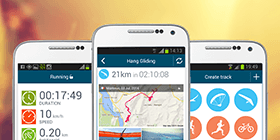
Airtribune App turns your Android smartphone into a reliable live tracker letting your family, friends and fans follow you online during any sport activity!
iOS app is now available only for competition live tracking purposes.


Socials
Contacts
Live tracking platform.
Outdoor GPS tracking mobile app.
Competition hosting and live tracking.
© 2012 - Airtribune. All rights reserved
Privacy Policy and Terms of Service